
Microsoft Azure is a cloud computing platform that provides a wide range of services and solutions to help organizations manage their IT resources more efficiently. While there are many advantages to using Azure, there are also some potential disadvantages that organizations should be aware of. In this blog post, we’ll explore the advantages and disadvantages of using Microsoft Azure in the workplace.
Advantages
Scalability
One of the biggest advantages of using Microsoft Azure is its scalability. With Azure, you can easily scale up or down your IT resources based on your business needs. This means that you can quickly add or remove resources as needed, without having to worry about the costs of maintaining additional hardware or software. This is particularly useful for organizations that experience seasonal spikes in demand or sudden increases in traffic.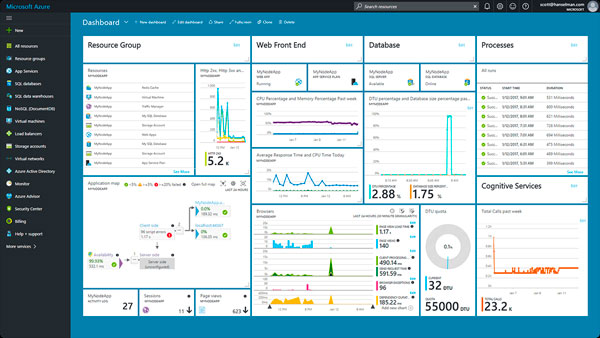
Cost savings
Another advantage of using Microsoft Azure is its cost savings. With Azure, you only pay for the resources you use, which means you can reduce your IT costs significantly. Additionally, Azure eliminates the need for expensive hardware and software upgrades, which can save your organization a lot of money in the long run. This is particularly useful for small or mid-sized businesses that may not have the budget for large IT infrastructure investments.
Flexibility
Microsoft Azure is also highly flexible, which means it can be used to meet a wide range of business needs. Whether you need to host a website, run a database, or manage your mobile apps, Azure has a solution for you. Additionally, Azure supports a wide range of programming languages and frameworks, which means you can use the tools and technologies that work best for your business.
Security
Security is always a top concern for organizations when it comes to managing their IT resources. With Microsoft Azure, you can rest assured that your data is secure. Azure provides a wide range of security features and tools, including identity and access management, network security, and threat protection. Additionally, Azure is compliant with a wide range of industry standards and regulations, which means you can meet your compliance requirements more easily.
Reliability
Microsoft Azure is also highly reliable. With Azure, you can ensure that your applications and services are always available to your users. Azure provides a range of tools and services to help you achieve high availability, including load balancing, automatic scaling, and disaster recovery. Additionally, Azure has a global network of data centers, which means you can ensure that your applications are always accessible to users around the world.
Collaboration
Finally, Microsoft Azure provides powerful collaboration tools that can help your team work more efficiently. With Azure, you can collaborate on projects in real-time, share files and documents securely, and manage your team’s workflow more effectively. This is particularly useful for remote teams or teams that work across multiple locations.
Disadvantages
Learning curve
One potential disadvantage of using Microsoft Azure is the learning curve. While Azure is designed to be user-friendly, it still requires some technical expertise to set up and manage effectively. This means that organizations may need to invest in training or hire additional IT staff to manage their Azure environment.
Cost unpredictability
While Microsoft Azure can be cost-effective for organizations that use it wisely, there is also the potential for cost unpredictability. If an organization does not carefully monitor its usage or fails to optimize its resources properly, it may end up paying more than it anticipated. Additionally, some services or features may have hidden costs that organizations may not be aware of until they receive their bill.
Reliance on internet connectivity
Another potential disadvantage of using Microsoft Azure is its reliance on internet connectivity. Since Azure is a cloud-based platform, organizations need a reliable internet connection to access their applications and services. This means that if an organization experiences internet connectivity issues or downtime, it may not be able to access its critical applications or data.
Security concerns
While Microsoft Azure provides robust security features and tools to protect your data, there are still some security concerns that organizations should be aware of. For example, some organizations may be hesitant to store their sensitive data in the cloud due to concerns about data breaches or cyberattacks. Additionally, some organizations may be subject to regulatory requirements that prohibit them from storing certain types of data in the cloud.
Limited control over infrastructure
Finally, using Microsoft Azure means that organizations have limited control over their IT infrastructure. Since Azure is a cloud-based platform, organizations do not have physical access to their servers or hardware. This means that organizations may not be able to customize their infrastructure as much as they would like or may be limited by the features and services offered by Azure.
Conclusion
Overall, Microsoft Azure provides many advantages for organizations looking to manage their IT resources more efficiently. However, there are also some potential disadvantages that organizations should be aware of before making the switch to Azure. By carefully considering these advantages and disadvantages, organizations can make an informed decision about whether Microsoft Azure is right for their business needs.
 Geetchy