
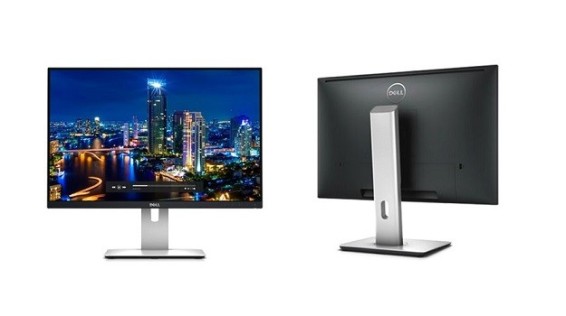
Almost everyone that works in an office space uses a monitor in the work, and almost everyday I speak to customers that complain about the screen that they have. What I get from that is that their IT manager don’t really know what they are doing or just don’t care, because they got a good deal on some shit monitors.
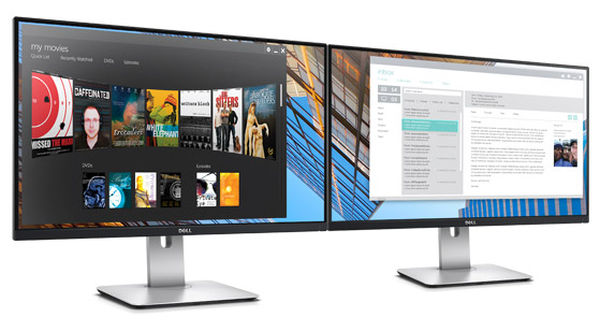
I think people often forget how many hours their employees actually look at their screens each day.
First and foremost they should always have a math screen to avoid glare and reflexion from light, which can annoy our eyes. Home screens and cinematic screens usually have the widescreen aspect of 16:9, but in the office space it is recommended with widescreen aspect 16:10. The 24 inch and 27 inch screens are the most popular size at my company; the reason for that is it is just big enough so you don’t need to strain your eyes. A resolution of 1920 x 1200 at 60Hz is usually more than good enough to your office tasks.
I have lately sold some 4k resolution monitors, but some customers struggle to make them work when they connect to them through docking, because some computers struggle with scaling. I would recommend most of my customers to just get a 1920 x 1200 resolution screen, the exception would be employees that work with more graphic materials.
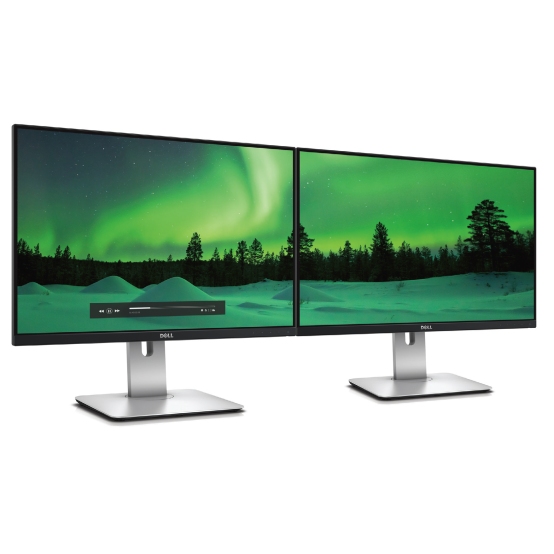
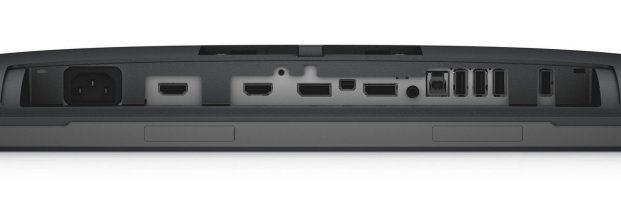
So let`s get over to the monitor in the heading the Dell UltraSharp U2415. The Dell screen is something I would call a sexy office screen. With it’s thin bezel that’s only 6.9mm thick, it looks almost borderless when putting it together with another screen. The screen offers good connectivity, two HDMI, a Display Port and a mini Display Port. In the back of the screen it has a quickly charge BC1.2 compatibility for fast charging of devices that uses USB 3.0. Lastly they have finally gotten rid of the dreaded analog cable also known as VGA.
+
Thin bezel of 6.9mm, good connectivity and quick charging.
–
Nothing worth mentioning.
Display
Diagonally Viewable Size:
61.1 cm
24.1″ (24.1 – inch wide viewable image size)
Aspect Ratio:
Widescreen (16:10)
Panel Type, Surface:
In-plane switching, anti glare with hard coat 3H
Optimal resolution:
1920 x 1200 at 60Hz
Contrast Ratio:
1000:1 (typical)
2 Million:1 (Max) (Dynamic Contrast Ratio)
Brightness:
300 cd/m² (typical)
50 cd/m² (minimum)
Response Time:
Fast mode:
6 ms gray to gray (typical)
Normal mode:
8 ms gray to gray (typical)
On/Off: 19 ms black to white (typical)
Viewing Angle:
(178° vertical / 178° horizontal)
Colour Support:
Colour Gamut (typical): 91% (CIE1976), sRGB coverage 99%
16.78 Million colours
Pixel Pitch:
0.27 mm x 0.27 mm
Backlight Technology:
LED
Display Type:
Widescreen Flat Panel Display
Display Screen Coating:
Antiglare with hard-coating 3H
Audio Output:
Dell Speaker Bar AC511 (optional)
Stand
Height-adjustable stand (115mm), tilt, pivot (clockwise and counter-clockwise), swivel and built in cable-management
Flat Panel Mount Interface:
VESA (100 mm)
Connectivity
2 HDMI(MHL) connector
1 Mini DisplayPort
1 DisplayPort (version 1.2)
1 DisplayPort out (MST)
1 Audio Line out (connect your speakers)
5 USB 3.0 ports – Downstream (5 at the back, 1 with battery charging)
1 USB 3.0 port – Upstream
Built-in-devices
USB 3.0 Hi-Speed Hub (with 1 USB upstream port and 5 USB downstream ports)
 Geetchy